# Getting Started

<div><figure><img src="https://4147791800-files.gitbook.io/~/files/v0/b/gitbook-x-prod.appspot.com/o/spaces%2FKhfS7pOXXERDWtBIkkc0%2Fuploads%2FZYe3MRAyRrV2UBqGDXzH%2F6.png?alt=media&#x26;token=a7fe7295-fdf6-4ae4-875e-5a707c681bfb" alt="" width="188"><figcaption></figcaption></figure> <figure><img src="https://4147791800-files.gitbook.io/~/files/v0/b/gitbook-x-prod.appspot.com/o/spaces%2FKhfS7pOXXERDWtBIkkc0%2Fuploads%2Fl4xnwS0NVBRaZcOYPKUx%2F7.png?alt=media&#x26;token=8be90420-e52a-4a9b-8416-4ea572dc506e" alt="" width="188"><figcaption></figcaption></figure> <figure><img src="https://4147791800-files.gitbook.io/~/files/v0/b/gitbook-x-prod.appspot.com/o/spaces%2FKhfS7pOXXERDWtBIkkc0%2Fuploads%2FlmYHwcfxuIKqJWk2yhVJ%2F8.png?alt=media&#x26;token=89e0b6e2-bf4b-4b47-9b87-383092e86054" alt="" width="188"><figcaption></figcaption></figure> <figure><img src="https://4147791800-files.gitbook.io/~/files/v0/b/gitbook-x-prod.appspot.com/o/spaces%2FKhfS7pOXXERDWtBIkkc0%2Fuploads%2FqAoYj9w5SMzZysYls7R9%2F9.png?alt=media&#x26;token=4b552df4-3d36-4652-8bf4-b75292be443e" alt="" width="188"><figcaption></figcaption></figure></div>

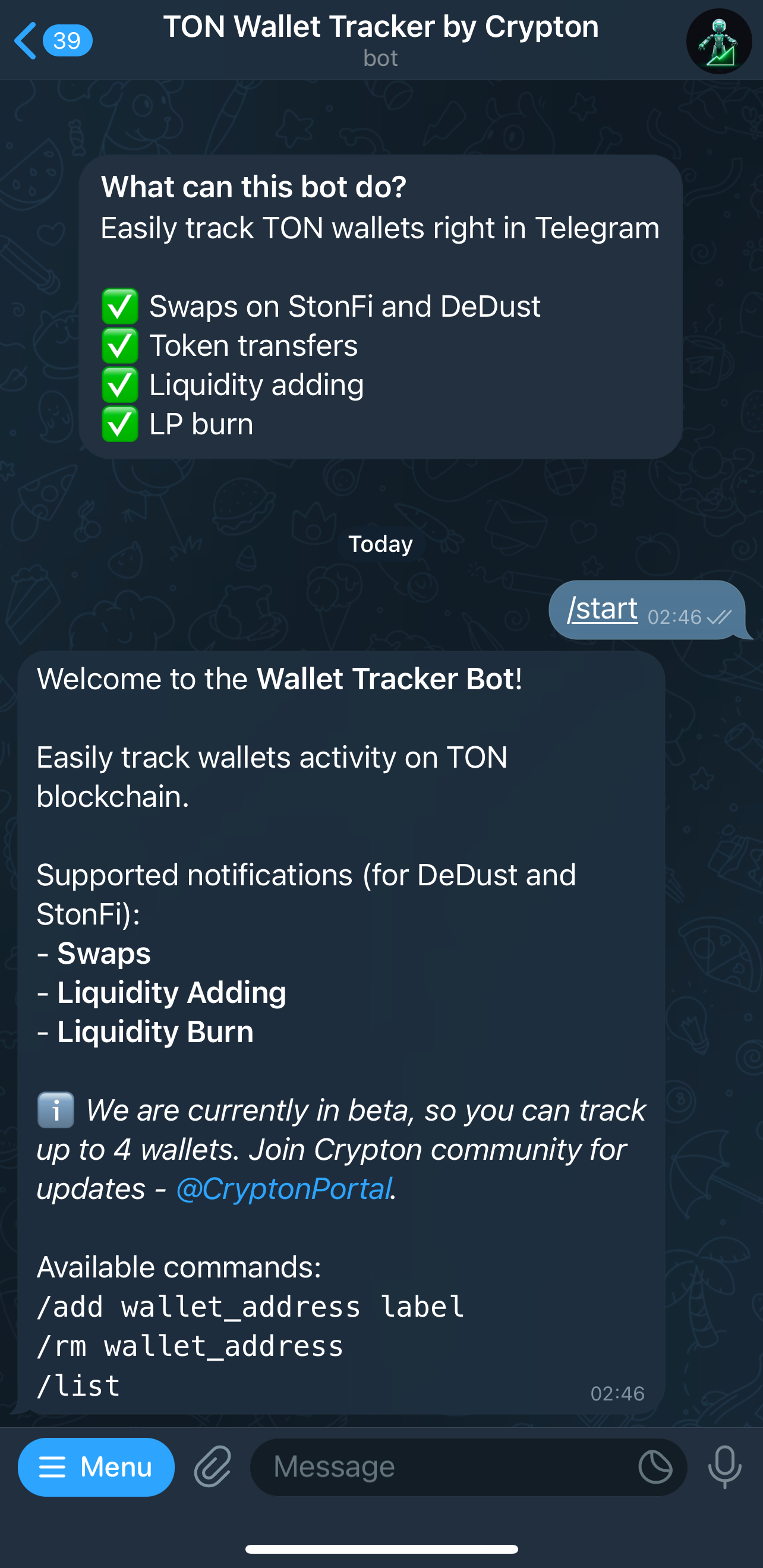
Available commands:

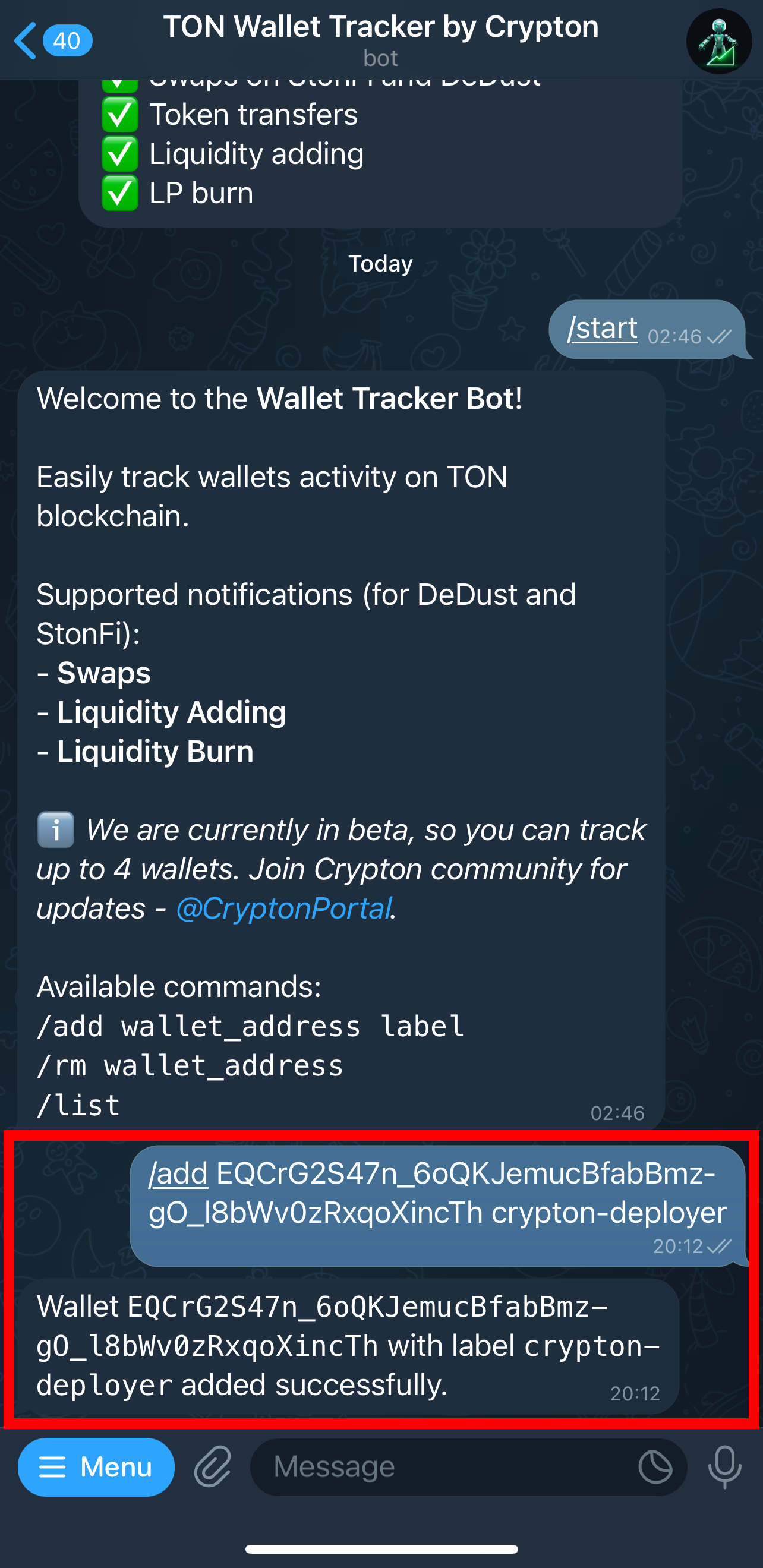
1. */add \<WALLET\_ADDRESS> \<LABEL>* - starts tracking a new wallet.
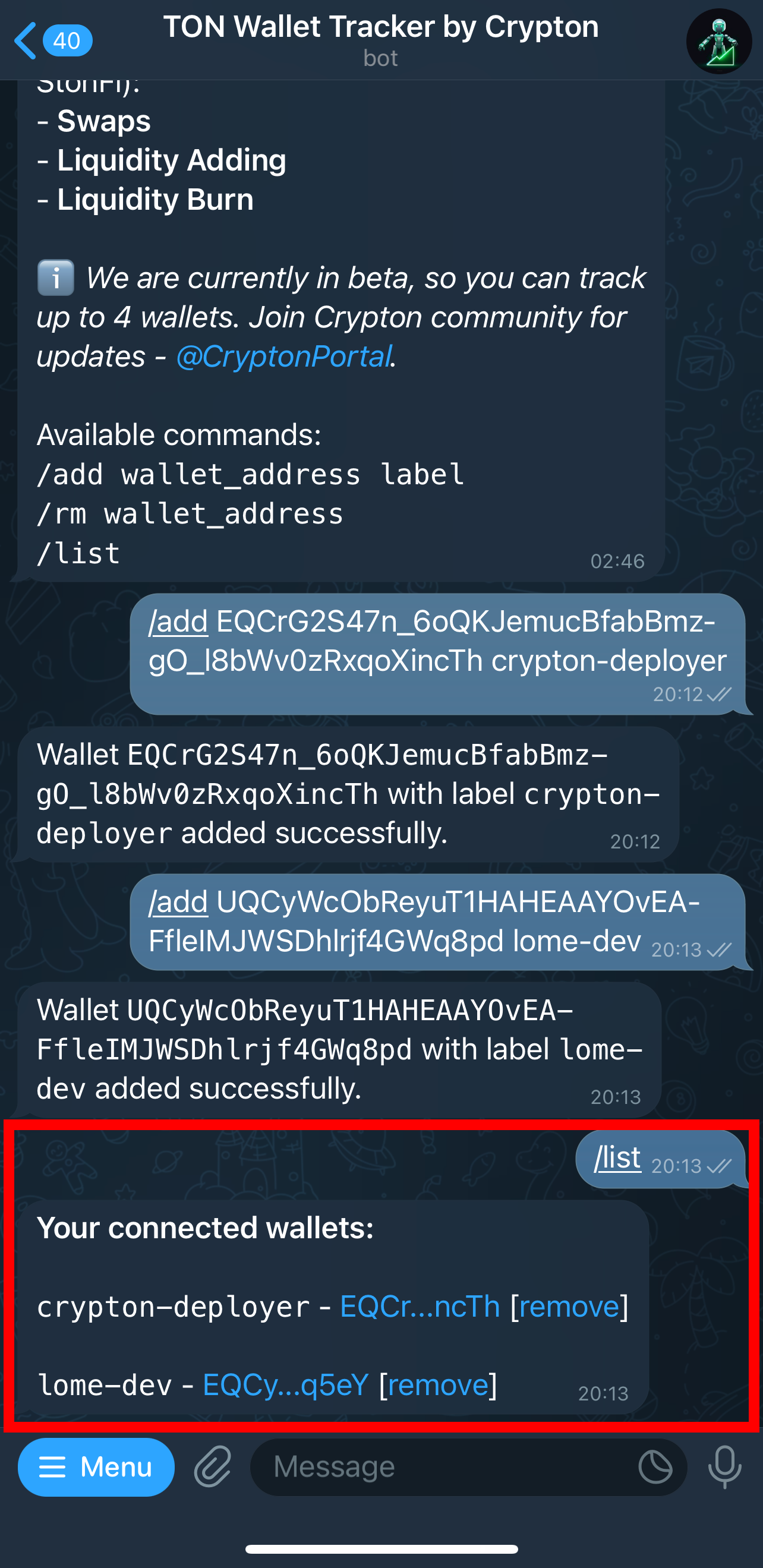
2. */list* - list of wallets you are currently tracking
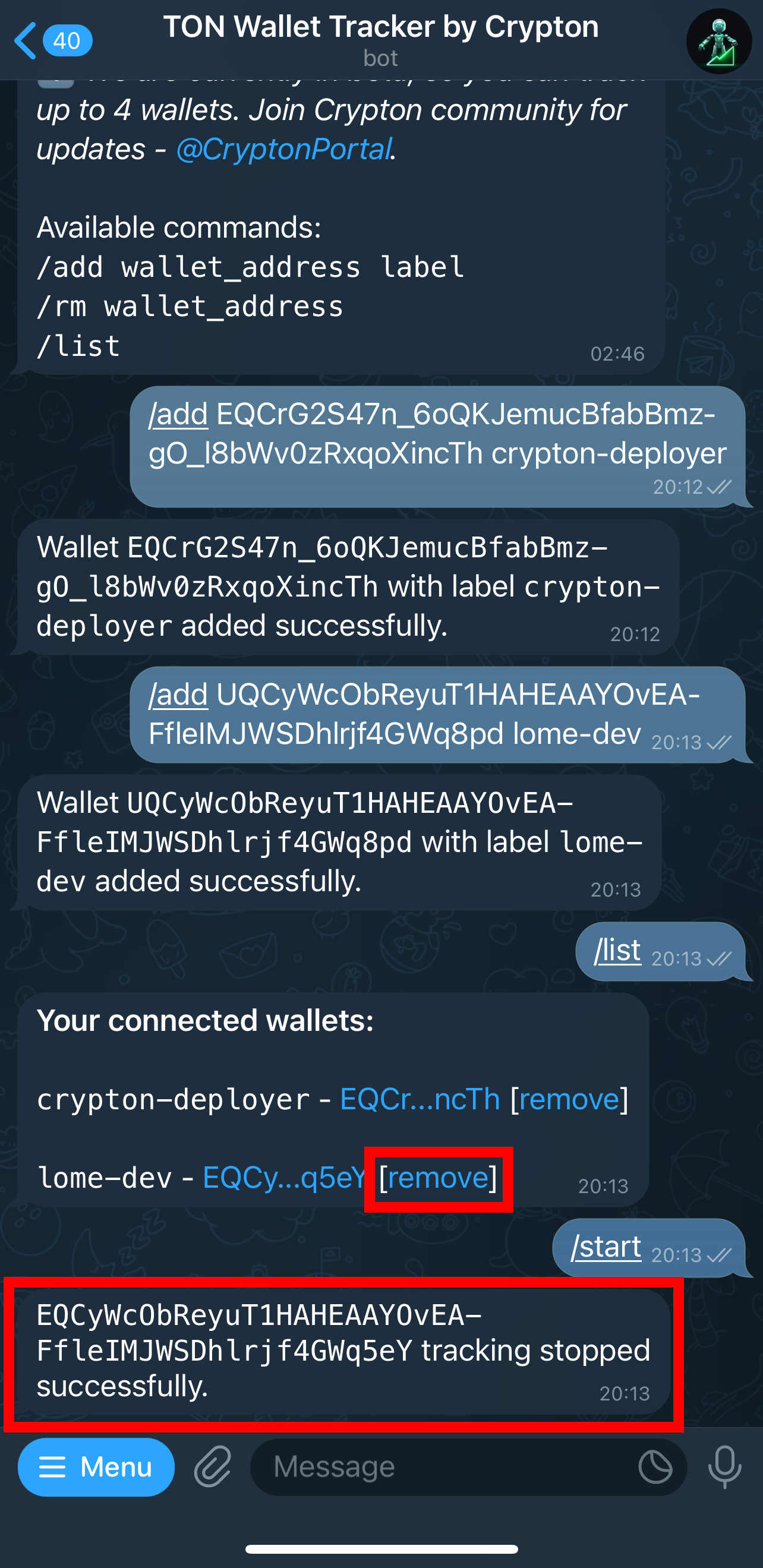
3. */rm \<WALLET\_ADDRESS>* - stop tracking a wallet (alternatively, you can click "remove" next to a wallet on current tracking list)

When you start tracking a new wallet, the bot will send you real-time notifications about the activity on this wallet. You can learn more about each notification type [here](https://docs.crypton.tools/ton-wallet-tracker/notification-types).